Don't lose a single concept. Full notebooks from any YouTube lecture.
Every definition, every formula, every example — structured into a 10–20 page notebook you can actually study from. Built for engineering, CS, and med students.
What you paste → what you get
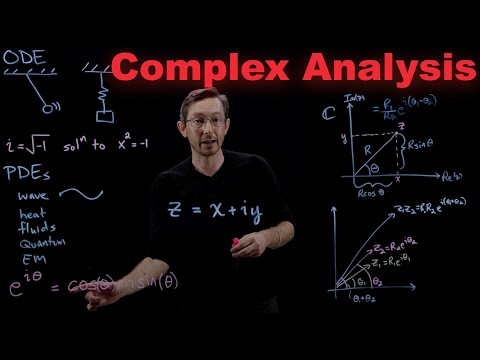
Real output. 6 note themes, your font, your colors — typeset math and hand-drawn diagrams from the actual video frames.
Try it right now — no signup
This is the same AI pipeline that powers Notiq, trimmed down to one quick task. Paste some notes below and see real output in seconds.
Paste your notes or text
This is one slice of what Notiq does. Browse all free tools →
Three modes. You decide.
The same YouTube lecture can become three different outputs. Pick the one that fits how you actually study — skim, cram, or solve.
Chapters with bullets, AI flashcards, exam-style questions. ~10% of the lecture, distilled.
A 10–20 page transcribed notebook. Every section, every formula, every example — written out as you'd write it yourself.
Numbered step-by-step with KaTeX-typeset equations. For videos where the lecturer solves a specific problem on the board.
Notes written for every subject
Chapters, flashcards, diagrams, and exam questions — generated automatically.
2,400+
students using it
18,000+
notes generated
4.9/5
average rating
< 60s
to generate notes
AI turns any content into everything you need to learn
Under 60 seconds for most lectures.
No re-watching at 2am. No blank page. Paste a link, get a complete study kit.
1 Add your content
A link, a file, or just pasted text — whatever you've got.
2 AI processing
Transcribed, chunked, and synthesized automatically.
3 Get what you need
A complete study kit — ready to review, drill, or export.
Save hours of note-taking
Focus on understanding
Better retention with active recall
Higher exam scores
Everything you need to study smarter
Structured Notes
Chapters, bullet points, and key concepts extracted straight from the lecture — formatted like you would write them yourself.
Flashcards
Auto-generated question/answer pairs covering the most important concepts so you can quiz yourself and lock in knowledge.
Exam Questions
Practice with multiple-choice and short-answer questions generated directly from the video content. Prep mode included.
Visual Diagrams
Complex processes and relationships rendered as Mermaid flowcharts — because some things click better when you can see them.
Looks just like your notebook
Chapter notes, flashcards, exam questions, concepts — all generated automatically.
Real student note sets — chapters, math, hand-drawn diagrams, all on one page.
Students love it
2,400+ learners across university courses, bootcamps, and self-study.
“I watched a 3-hour MIT lecture on algorithms and had complete structured notes in under two minutes. The flashcards alone saved me probably four hours of review prep before my qualifying exam.”
Maya Okonkwo
CS Graduate Student
“I learn entirely from YouTube — Fireship, Theo, all of it. Study Notes turns those videos into actual study material I can review later. It finally feels like learning, not just watching.”
James Hartley
Self-taught Developer
“Khan Academy biochemistry videos are great but dense. Now I paste the URL and get a clean outline with key terms highlighted and practice questions at the end. My study sessions are half as long.”
Priya Nair
Pre-Med Sophomore
“The Mermaid diagrams are genuinely impressive. For machine learning topics with lots of moving parts, having a visual flowchart auto-generated from the lecture is something I didn't know I needed.”
Lukas Bauer
Data Science Bootcamp Student
“I use this to quickly prep supplementary notes for my students from YouTube documentaries. What used to take me an evening now takes five minutes. I share the exported notes directly.”
Sofia Reyes
High School Teacher
“Finance content on YouTube is hit or miss, but when I find a good lecture I want notes immediately. The exam questions feature is exactly what I needed — it quizzes me on the actual video content.”
Tariq Farouk
CFA Exam Candidate
Simple pricing
Start free. Upgrade when you need more.
Free
Try it out
- ✓1 free note set
- ✓Videos up to 20 minutes
- ✓Summary mode — chapters + key concepts
- ✓Typeset math (KaTeX)
- ✓Auto-generated diagrams
- ✓PDF & PNG export (watermarked)
Not included — upgrade to Pro for:
- ✗Flashcards & exam questions
- ✗Hand-drawn diagrams & equations from the video
- ✗Videos longer than 20 minutes
- ✗Watermark-free exports
- ✗More than 1 note set
Lite
For regular use, without the heavy video pipeline
🎉 30% off forever — code FOUNDER30
- ✓10 study note sets per month
- ✓Videos up to 30 minutes
- ✓AI flashcards & exam questions
- ✓Typeset math (KaTeX)
- ✓Auto-generated diagrams
- ✓PDF & PNG export (no watermark)
- ✓Chat with your notes
Not included — upgrade to Pro for:
- ✗Hand-drawn diagrams & equations from the video
- ✗Worked-solution mode for exam-walkthrough videos
- ✗Videos longer than 30 minutes
Solver
Everything Notiq does
🎉 30% off forever — code FOUNDER30
- ✓30 study note sets per month
- ✓AI flashcards & exam questions
- ✓Hand-drawn diagrams & equations from the video
- ✓Full Lecture Notes — 10–20 page transcribed notebook
- ✓Worked-solution mode for exam-walkthrough videos
- ✓Longer videos (up to 5 hours)
- ✓Priority processing
- ✓PDF & PNG export (no watermark)
- ✓Built for BAC, JEE, MCAT, AP, and engineering problem sets
- ✓Chat with your notes
Frequently asked questions
Is this just another AI summary, or full lecture notes?+
Three modes. Summary gives you chapters and flashcards — fine for skim. Full Lecture Notes (the default for longer lectures) gives you a 10–20 page structured notebook with every definition, formula, and example from the lecture — built for cram. Worked Solution transcribes step-by-step exam-walkthrough videos with every equation. You pick the mode when you submit a video (or use the admin library page for curated content).
What types of YouTube videos work best?+
University lectures, course recordings, conference talks, and tutorials — anything with clear speech and captions. Particularly strong on exam-prep content: math, sciences, engineering, medicine, law. Music videos or speech-less videos are not supported.
How long does it take to generate notes?+
Most lectures under 30 minutes are ready in under 60 seconds. Longer videos (1–2 hours) take 2–4 minutes for the text notes; Solver’s hand-drawn frame visuals add a few minutes more.
What exactly is included in a set of study notes?+
Each note set includes: structured chapters with handwritten-style bullets, AI flashcards, exam-style practice questions, auto-generated diagrams, and typeset math (KaTeX). Solver adds hand-drawn diagrams and equations re-created from the actual video frames. Export to PDF or PNG with one click.
Does it work for non-English videos?+
Yes. Notiq supports 19 output languages — pick one when you submit the video and the notes come out in that language, regardless of what the lecturer speaks. An English lecture can produce Romanian, Spanish, Korean, or Arabic notes with all the math equations preserved exactly.
What is the difference between Free, Lite, and Solver?+
Free gives you 1 lifetime note set on videos up to 20 minutes — a full handwritten-style notebook with typeset math and auto-generated diagrams, no flashcards or exam questions. Lite ($4/mo) unlocks flashcards and exam questions, 10 note sets per month, and videos up to 30 minutes. Solver ($12/mo) adds the standout feature — hand-drawn diagrams and equations re-created from the actual video frames — plus 30 note sets per month, videos up to 5 hours, and worked-solution mode for exam-walkthrough videos.
Can I export my notes?+
Yes. Every note set exports to PDF or PNG with one click — keep them on your laptop, print them, or share them with classmates. Free exports carry a small Notiq watermark; Lite and Solver exports are watermark-free.
Is my data private?+
Yes. Your notes are private to your account. We do not share note content with third parties or use it to train AI models. See our Privacy Policy for full details.
Can I cancel my subscription at any time?+
Absolutely. You can cancel your subscription from your account settings at any time. You will retain your plan’s access until the end of your current billing period with no further charges.
Get full notebooks from any YouTube lecture today
Free to get started. No credit card required. Your first notebook is on us.
Already have an account? Sign in
147 joined this week
“I watched a 3-hour MIT lecture on algorithms and had complete structured notes in under two minutes. The flashcards alon…”
Maya Okonkwo
CS Graduate Student